
Never miss a cheap confirmation window. Configure gwei-based gas fee alerts for any supported EVM network and get browser notifications the moment Standard, Fast or Rapid fees hit your target. Live comparison of Standard/Fast/Rapid levels, per-network transfer/swap/mint cost estimates and background monitoring — all in one Chrome extension.
Download Extension
Install Gas Fee Alerts from the official Chrome Web Store, or download the .zip for manual side-loading.
Also works in Opera, Vivaldi, and Yandex Browser via Chrome Web Store .
Download .zip for Chrome
What This Extension Does
Gas Fee Alerts & Live Price Tracker notifies you when on-chain transaction fees become cheap enough for your next swap, mint or bridge. It combines live explorer quotes, prediction-based next-block estimates and configurable browser notifications so you do not overpay for gas on Ethereum, Base, Arbitrum, Optimism, Polygon or BNB Chain.
Key Features
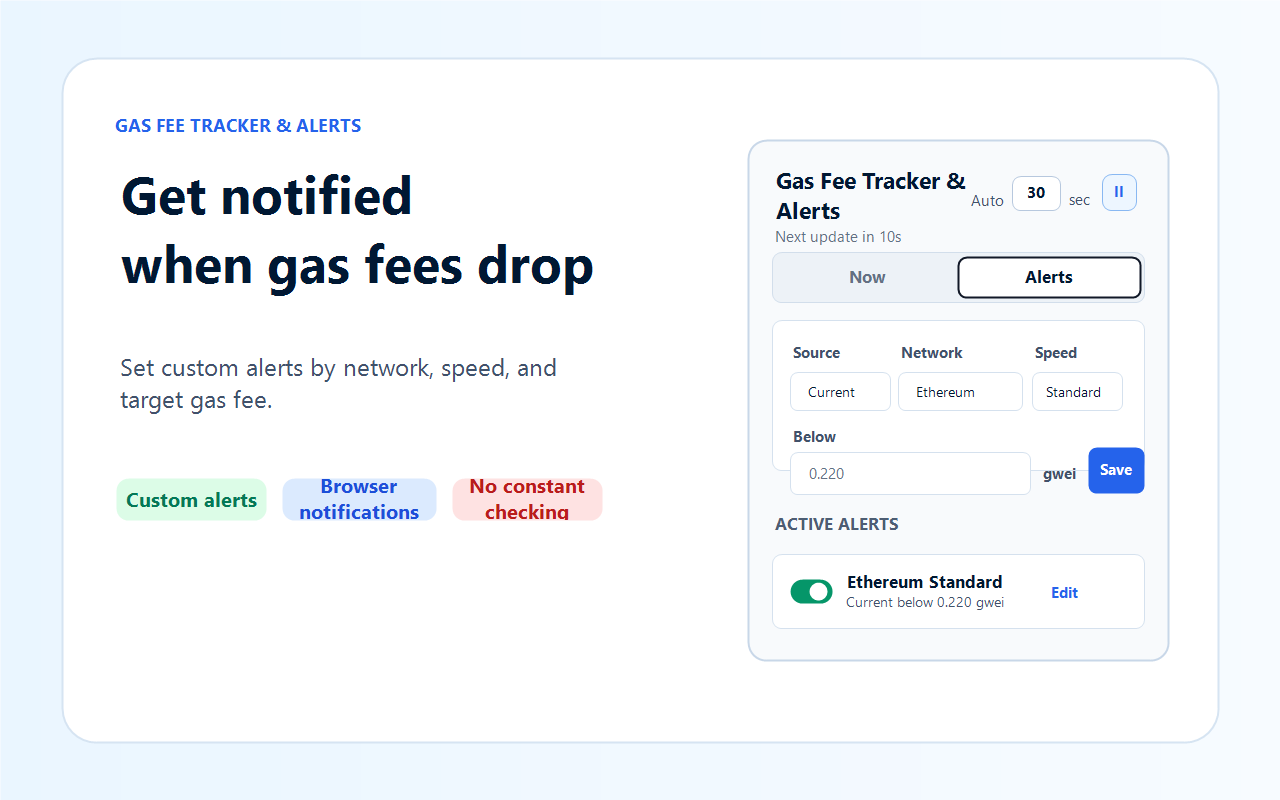
- Custom gas fee alerts by network, speed (Standard/Fast/Rapid) and gwei threshold — browser notifications when fees drop below target
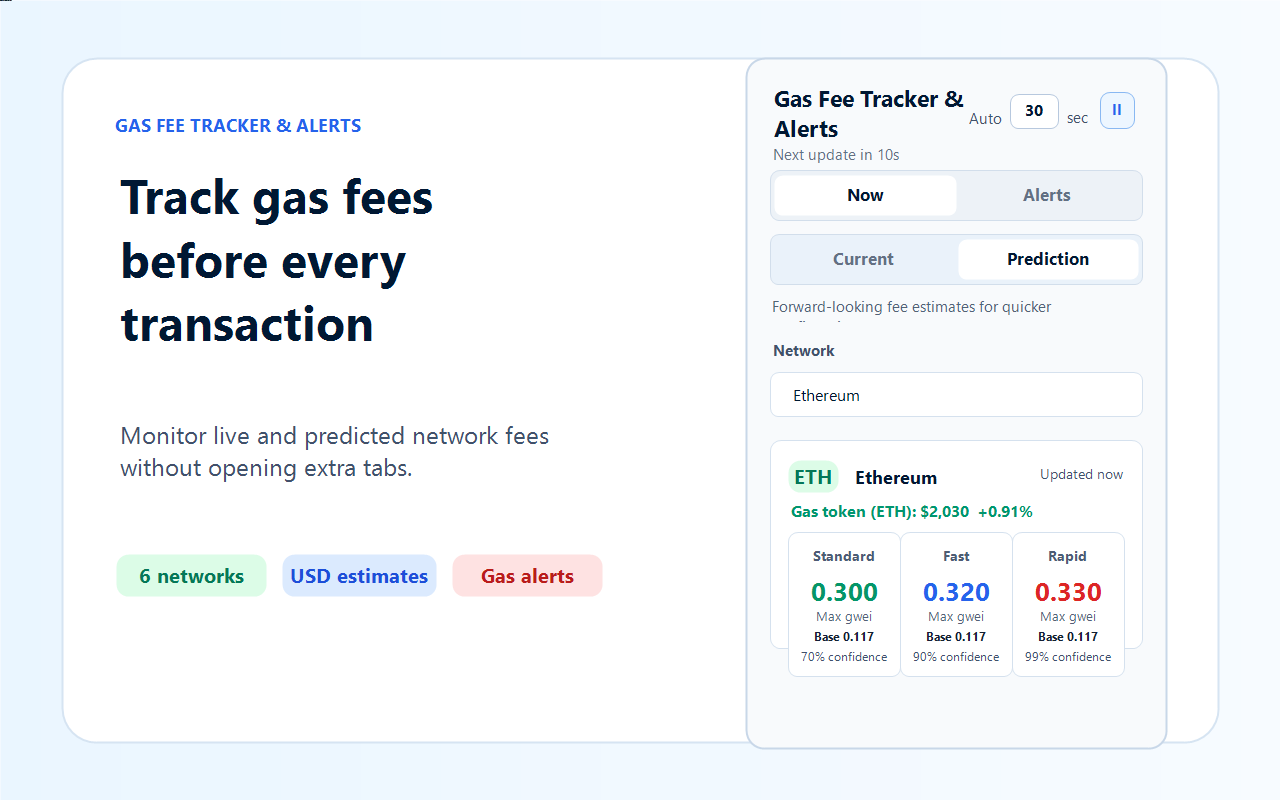
- Choice of data source per alert: Current live quotes or Prediction-based next-block estimates (70% / 90% / 99% confidence)
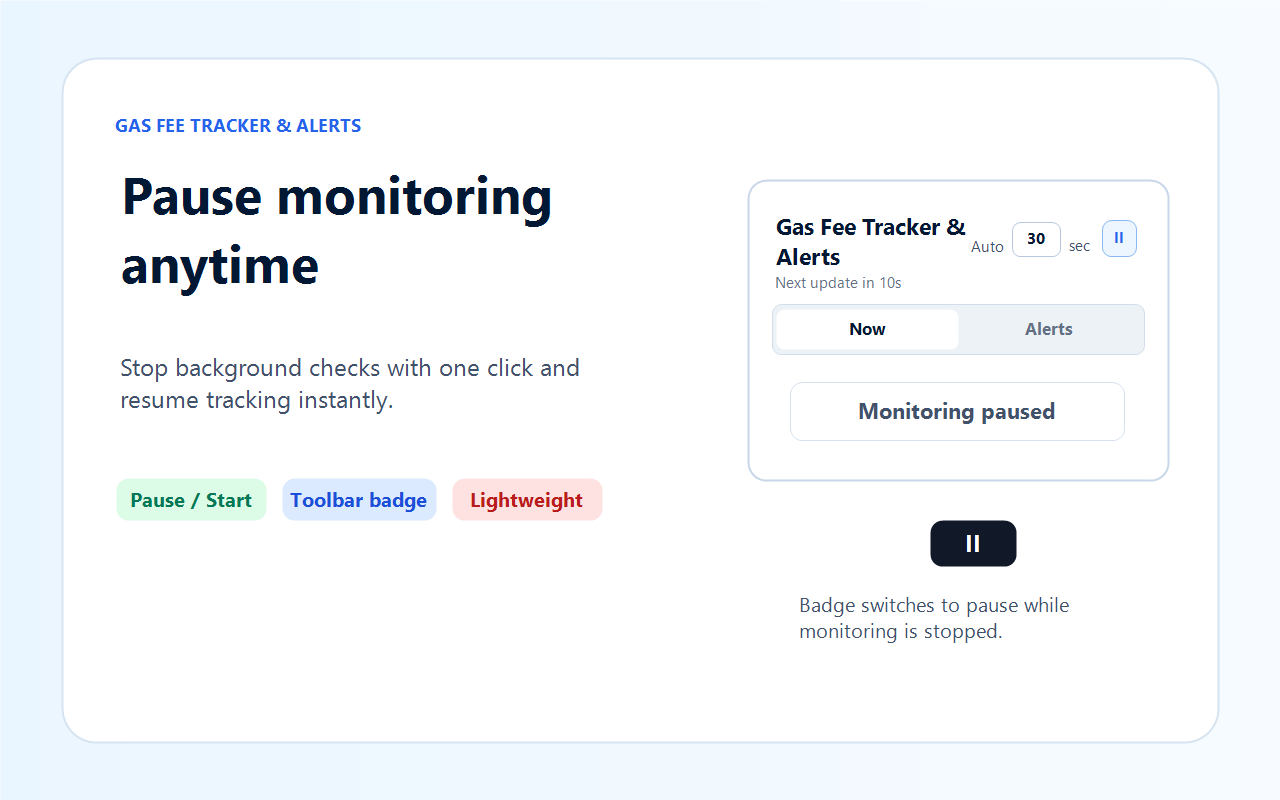
- Background monitoring with configurable auto-refresh (30+ seconds), Pause button and manual Refresh
- Live Standard / Fast / Rapid gas quotes for 6 networks: Ethereum, Base, Arbitrum, Optimism, Polygon, BNB Chain
- Prediction mode with confidence bands for quicker confirmation windows
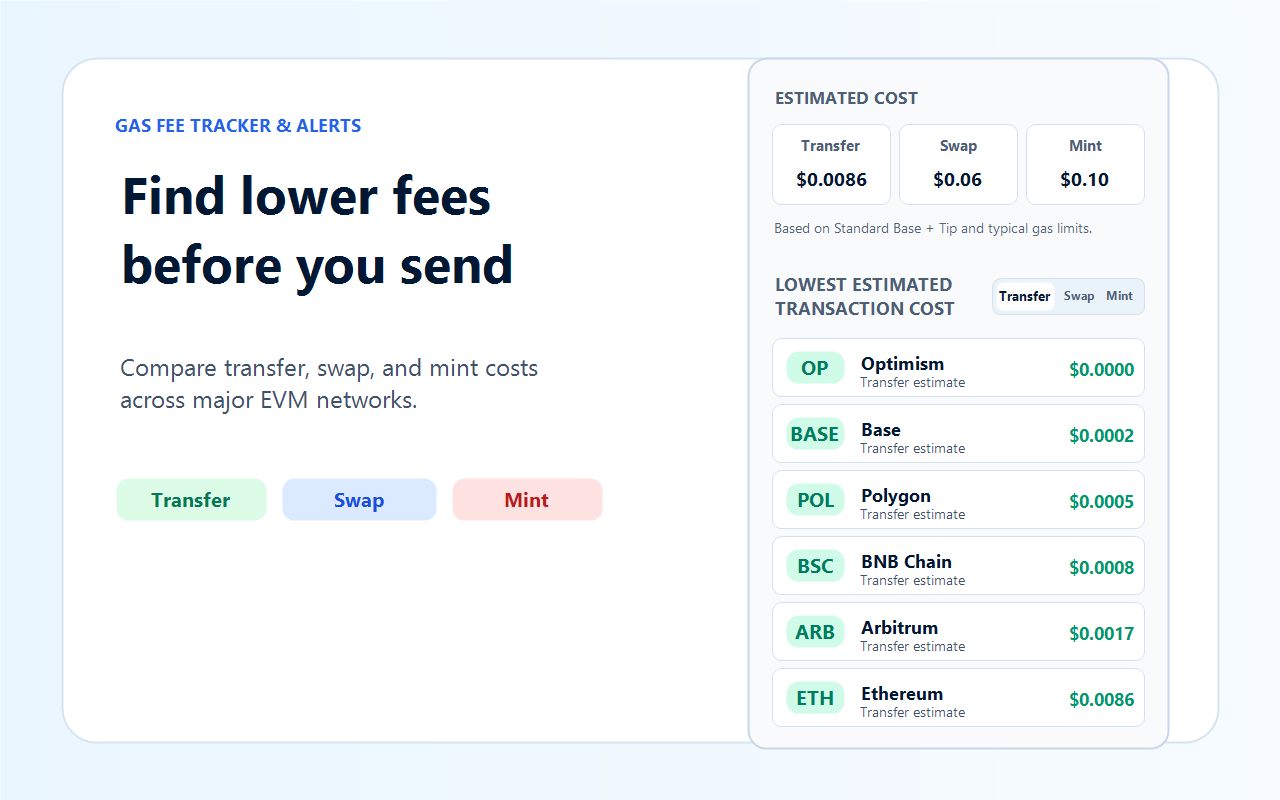
- Estimated cost calculator for Transfer (21k), Swap (150k) and Mint (250k) presets with gas-token price
- Per-network comparison table: instantly see which chain currently gives the cheapest Transfer / Swap / Mint
- Gas token price (ETH, POL, BNB) included so you can convert estimated gwei into USD value quickly
How to Use Alerts
- Pin the extension and open the popup. Keep the browser running so background alerts can fire.
- Open the Alerts tab. Pick a data source (Current or Prediction), network, and confirmation speed (Standard / Fast / Rapid).
- Type your target gwei threshold and click Save. The alert appears in the Active alerts list.
- Optional: adjust Auto refresh (30+ seconds) on the Now tab. Use Pause anytime you do not want to be disturbed.
- Use the Now tab to compare current Standard/Fast/Rapid levels and prediction bands across networks.
- Open the Compare panel under Now to see which chain is cheapest right now for a Transfer, Swap or Mint.
- When the selected fee drops to or below your threshold you get a browser notification immediately.
Important Notice
- Alert delivery requires an open Chrome/Chromium profile with the extension enabled and browser notifications allowed.
- Gas price sources (BlockNative, CoinGecko, qwhub.com cache) may be temporarily unavailable; the extension retries on schedule and uses the latest cached value for comparison where possible.
- Estimated costs use typical gas limits plus Base + Priority Fee logic; the actual fee paid on-chain depends on the transaction, wallet and block builder selection.
- This extension is informational only. It never requests wallet signatures, submits transactions or accesses any on-chain accounts.
Privacy Policy
Effective date: October 2, 2026
Gas Fee Alerts & Live Price Tracker (the Extension) is privacy-first. Your alert thresholds and preferences never leave your browser.
1. Data We Collect
The Extension does not collect, store or transmit personal data, wallet addresses, credentials or transaction information to our servers. All alert rules and UI preferences stay in local browser storage.
2. How the Extension Works
The Extension runs locally in your browser and performs read-only HTTPS requests to public price APIs (BlockNative, CoinGecko) and the qwhub.com gas-cache endpoint in order to fetch gas quotes and gas-token prices for alert evaluation.
3. Permissions Used
- storage: saves user preferences — alert rules, refresh interval, last selected network, tab and source.
- alarms: schedules periodic background refresh of gas prices and alert threshold checks.
- notifications: shows browser notifications the moment a configured gas threshold is reached.
- host permissions (qwhub.com, api.blocknative.com, api.coingecko.com): limit all network requests to documented gas-data sources only.
4. Data Sharing
We do not sell, rent or share user data with third parties. The extension ships with no advertising trackers, no analytics SDKs and no telemetry.
5. Data Retention
Alert rules and UI preferences are stored in chrome.storage.local and are tied to your browser profile. No backend copy is kept. You can wipe this data at any time by clearing extension storage or uninstalling the extension.
6. Security
All price fetches use HTTPS to documented public endpoints. The extension never prompts for wallet signatures, private keys, recovery phrases or any sensitive credentials.
7. Children's Privacy
The extension is not intended for children under 13 and does not knowingly collect personal information from children.
8. Changes to This Policy
This policy may be updated from time to time. Any updates will appear on this page with a revised effective date.
Screenshots
Contact / Support
For alert bug reports, feature requests or privacy questions:
Email: firsof.n@gmail.com
FAQ
Will I receive gas alerts even if the popup is closed?
Yes. Alerts run in the background via the alarms API as long as your browser profile is open and notifications are enabled. You can pause or resume monitoring at any time from the popup.
Can I set several alert thresholds at once (for example one for ETH and one for Base)?
Yes. You can save as many active alerts as you need — each with its own network, speed, data source and gwei target. All of them are evaluated on every background refresh.